

Chat in. Finished files out.
Ex360 Aide is an AI assistant for people who live in documents and decks. Ask in plain language — get back polished PowerPoint, Word, and Excel files, ready to use. Agents are specialized and tuned for office document work — powered by a frontier reasoning model at a fraction of typical AI subscription cost.
Accounts are provisioned by your workspace administrator.
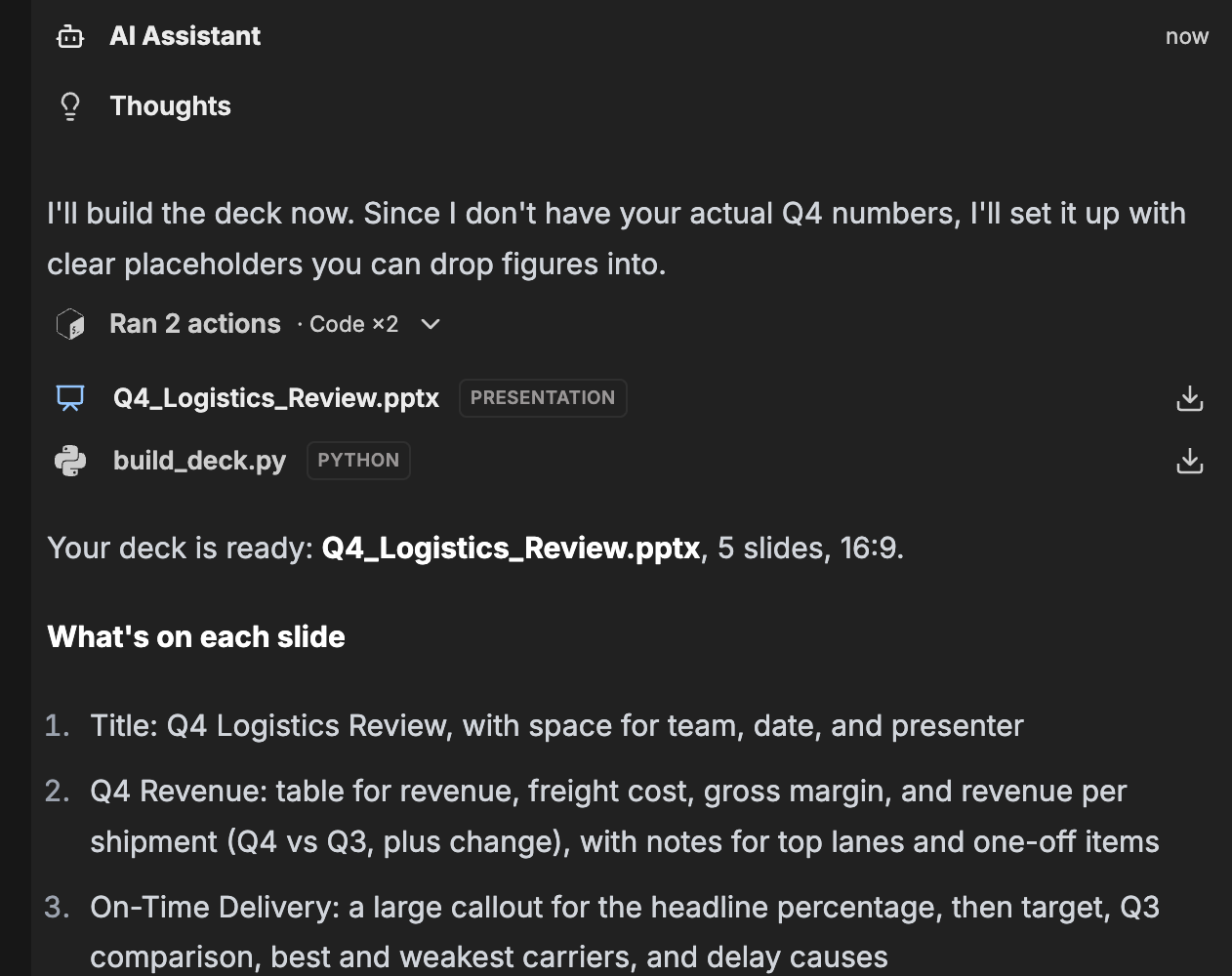
Why Ex360 Aide
An assistant that works the way offices actually work
Most AI chats leave you with text to copy, paste and reformat. Ex360 Aide is built around the real outputs of office life — the deck, the report, the spreadsheet.
Tuned for office output
Agents specialized for documents, presentations and spreadsheets — structured, titled and formatted, not generic chit-chat.
Real files, ready to share
Download finished PowerPoint, Word and Excel files straight from the chat — or send a colleague a read-only link to the conversation.
Research built in
Searches the web and reads pages for you, so decks and reports come with current facts — and you can hand it any link to read.
Frontier model, tiny price
Access a powerful frontier reasoning model with a million-token context — from $5/user/month, a fraction of typical AI subscriptions.
Specialized agents
Pick the brain for the job
The same assistant, with modes tuned for different kinds of office work — from quick drafts to the hardest documents.
AI Assistant
The default for day-to-day work: drafting, summarizing, restructuring source material, and generating decks, docs and spreadsheets. Thinks step by step, knows the office playbook.
AI Assistant · Deep Think
Maximum reasoning for the documents that matter: tricky restructuring, careful analysis, long and messy inputs. Slower on purpose — smarter where it counts.
Your workspace administrator can also publish custom agents for your team's recurring jobs — they appear alongside the standard modes.
Use cases
What teams use Ex360 Aide for
Documents in, finished work out. Upload your source files or describe the job in plain language, then download the result.
Analyze PDFs and documents
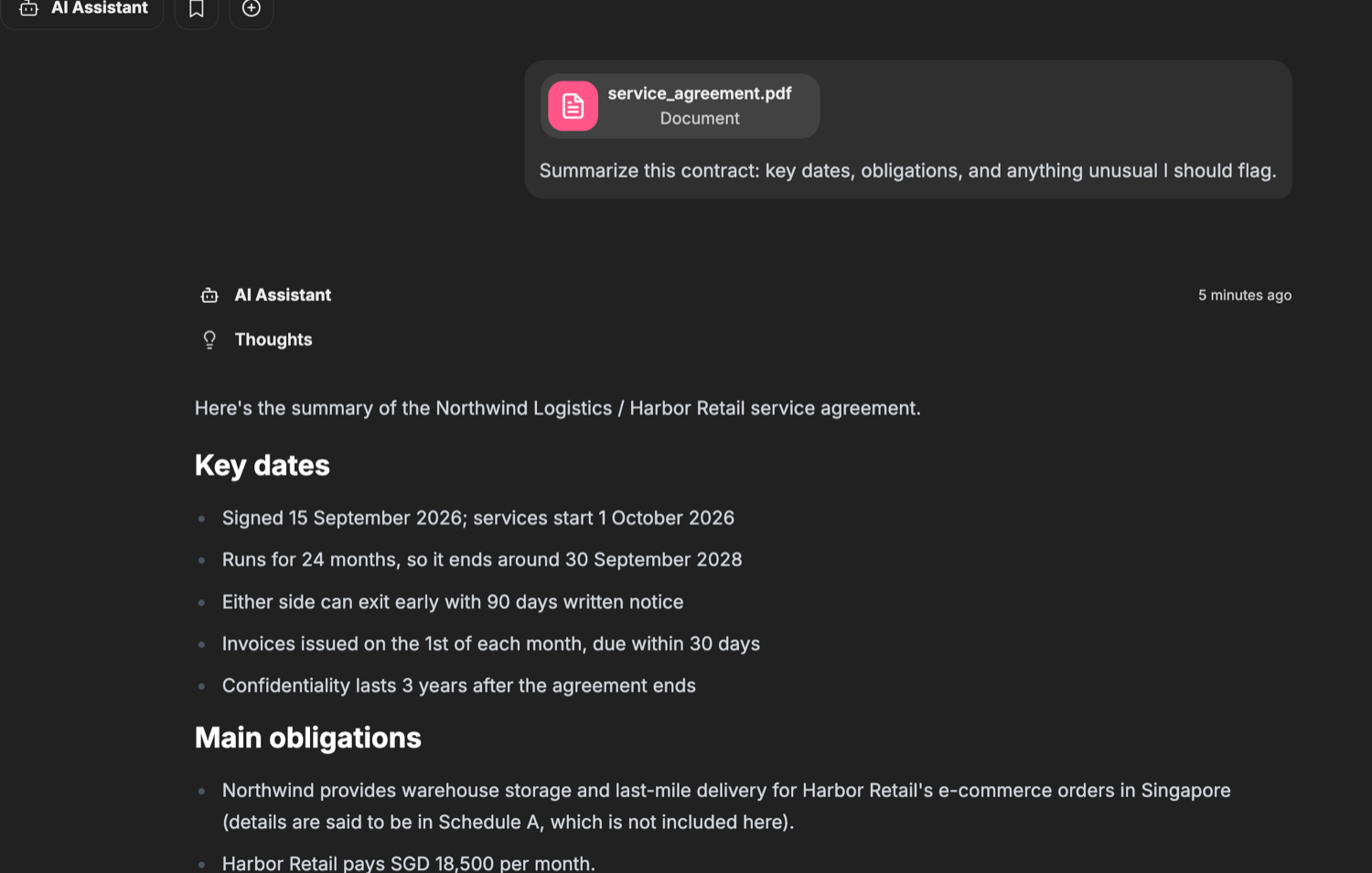
Upload a report, brief, or contract and ask for the essentials.
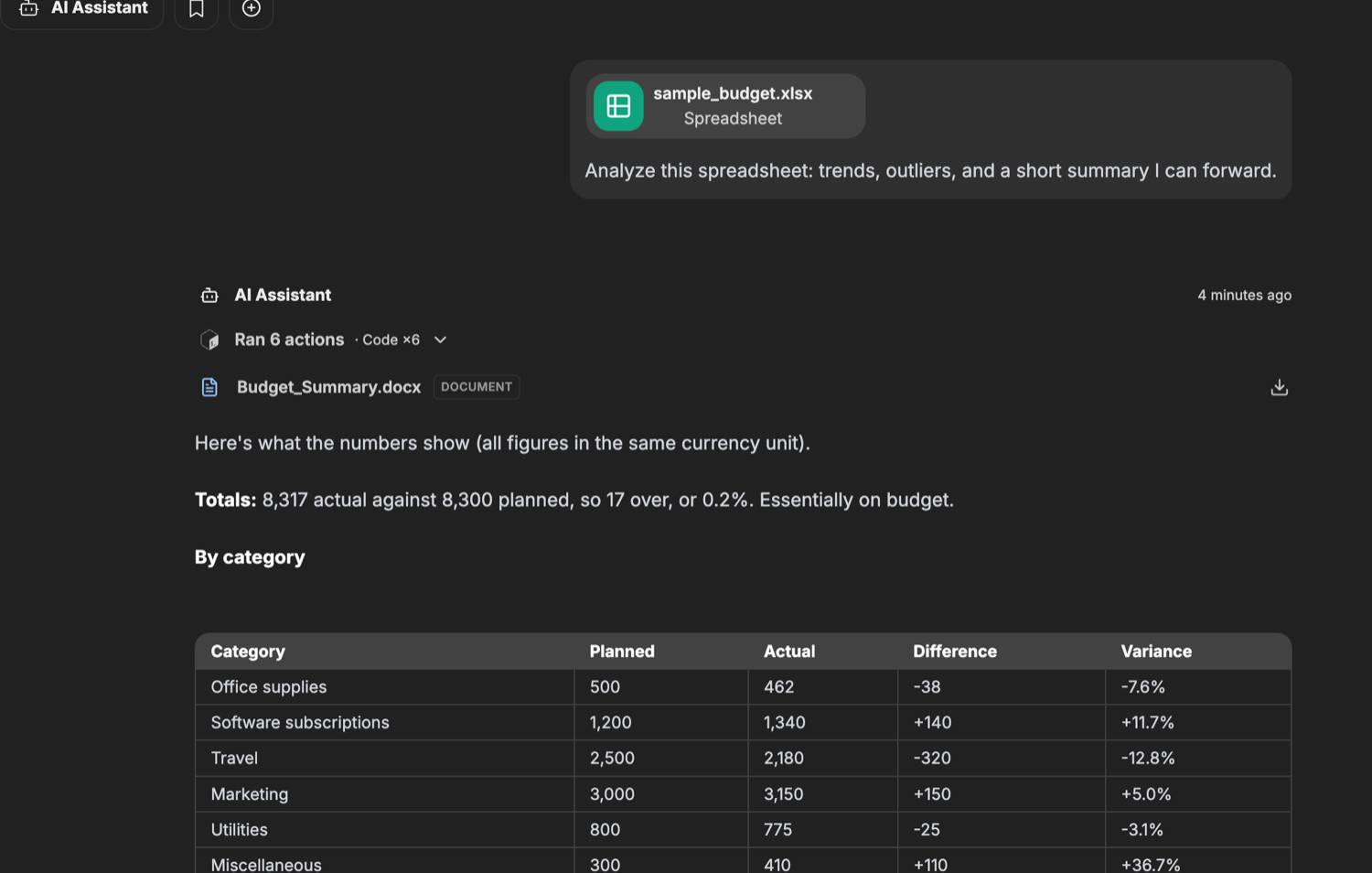
Analyze Excel sheets
Upload a spreadsheet and get real analysis without touching a formula.
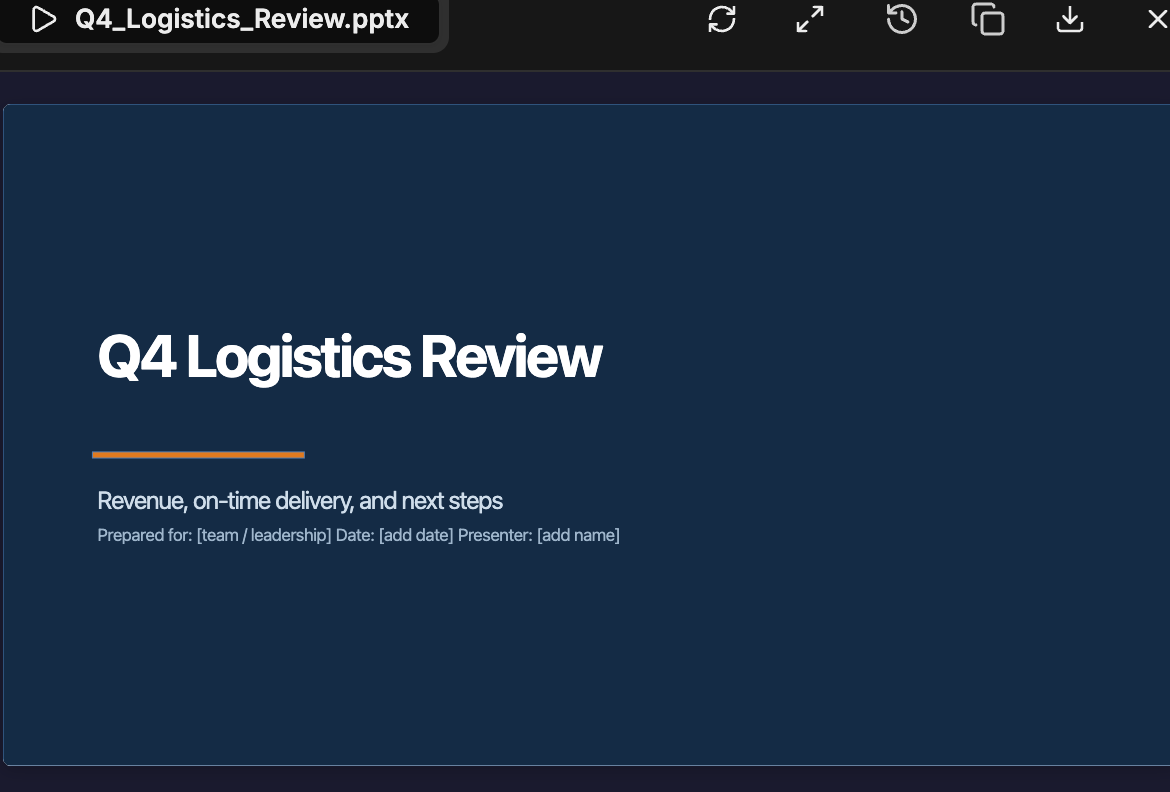
Build presentations
Turn notes, data, or a rough brief into a structured, ready-to-present deck.
Summarize contracts
Get key dates, obligations, and unusual terms at a glance.
Review contracts
Have agreements checked against your checklist, with risky clauses flagged.
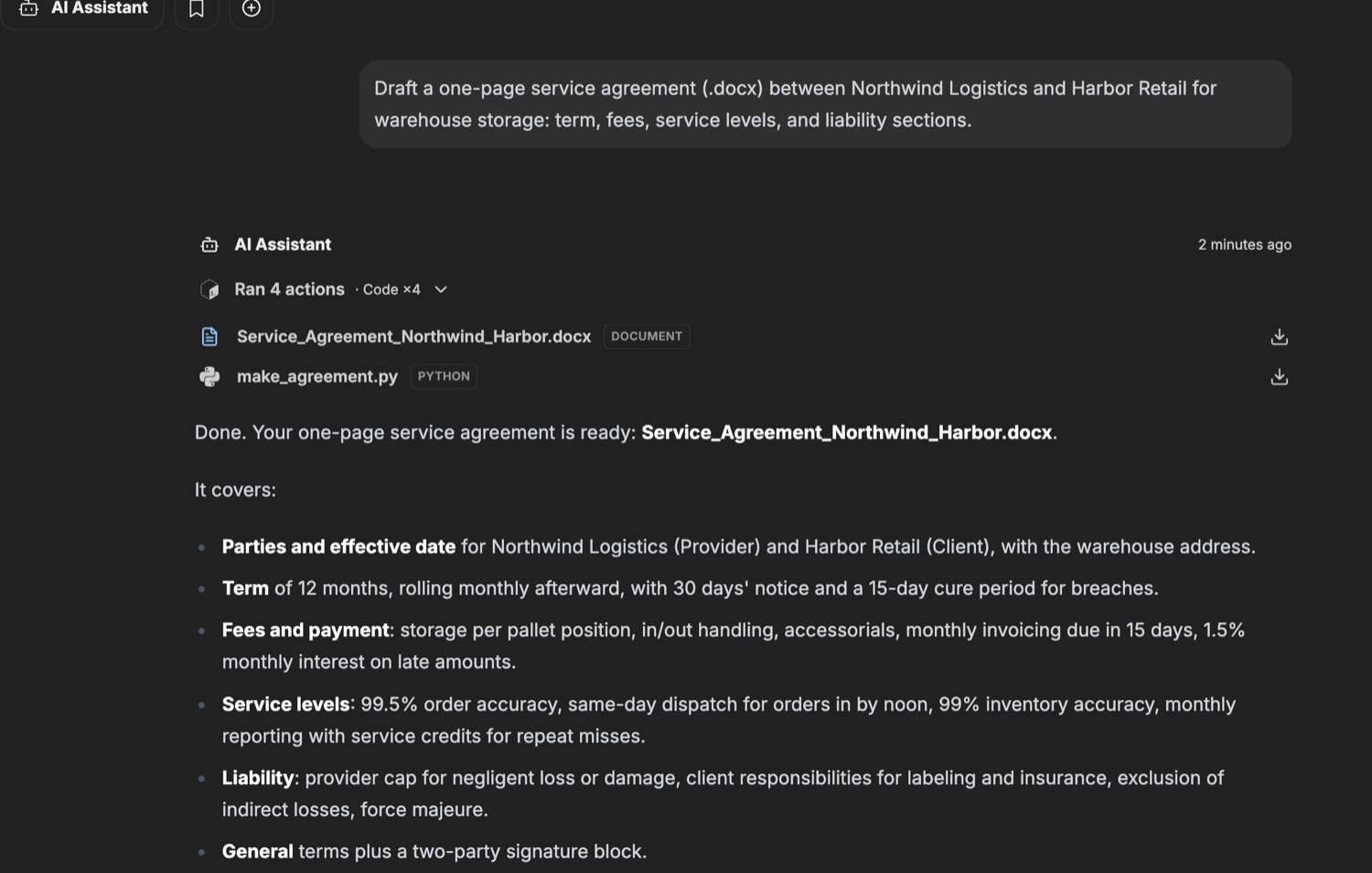
Draft contracts
Create a first draft from your terms, then refine it in chat.
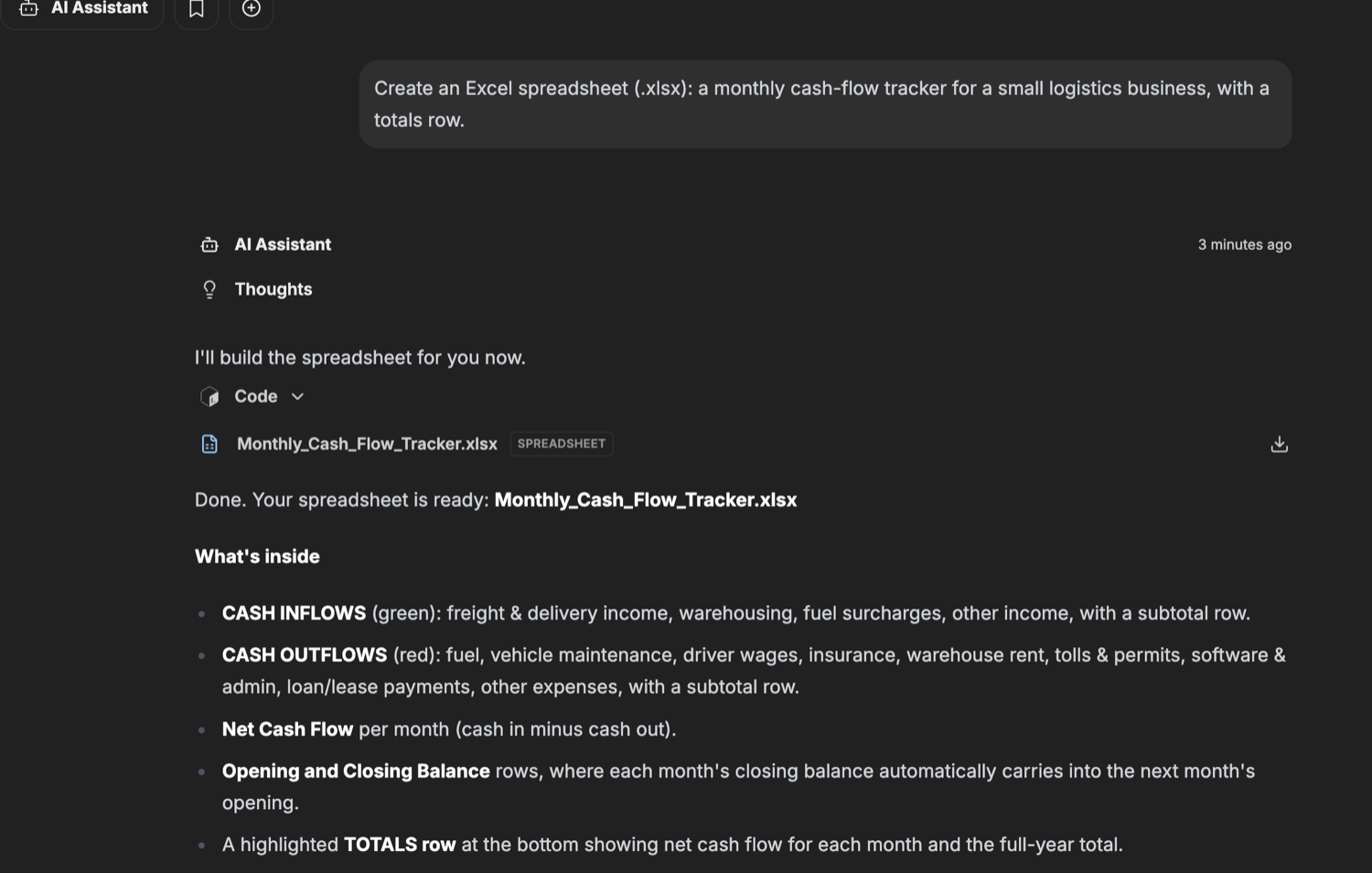
Create Excel spreadsheets
Budgets, trackers, and models: ask for the sheet you need and download it.
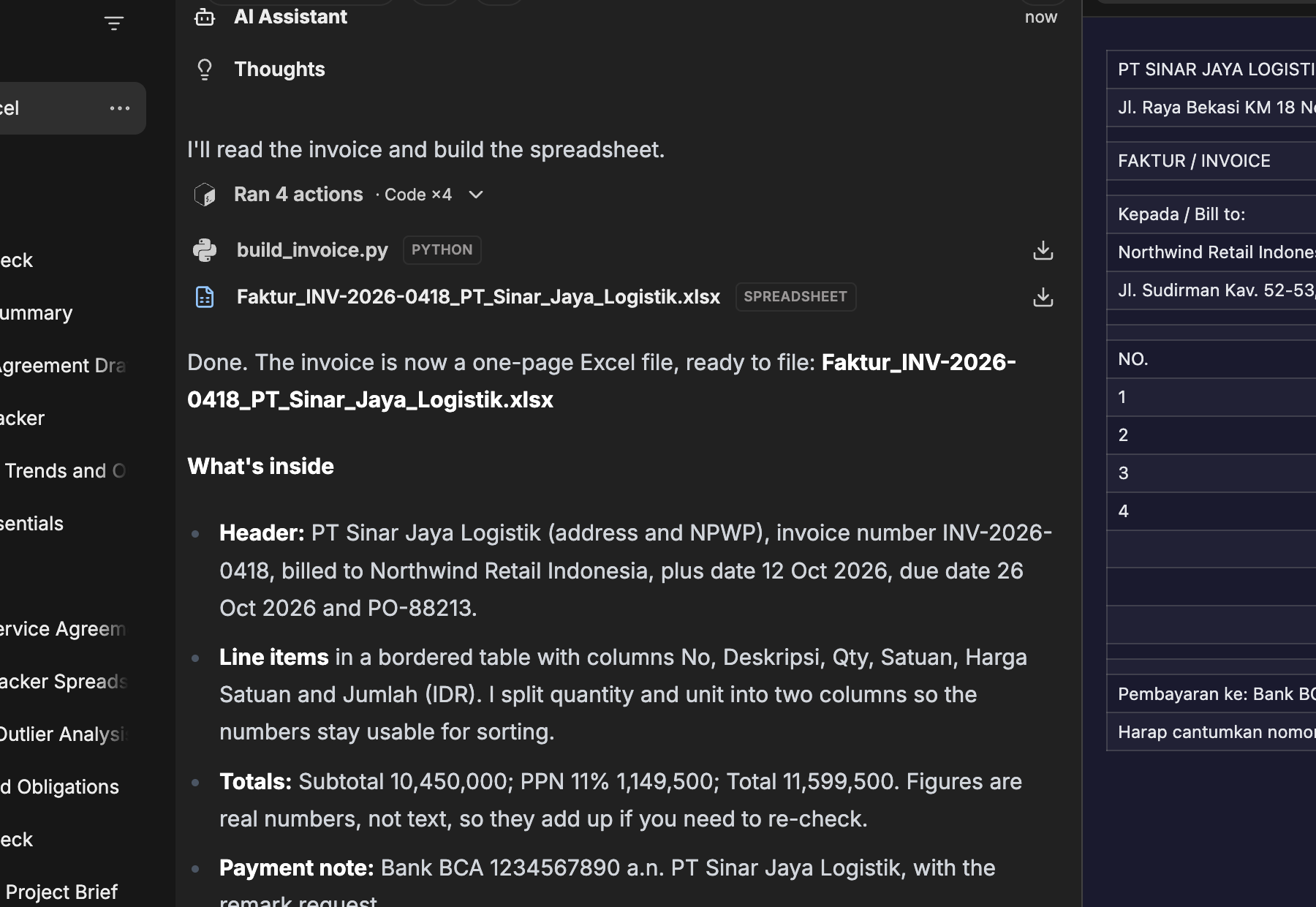
Turn scans into spreadsheets
A photo of an invoice, receipt or form becomes a clean Excel file.
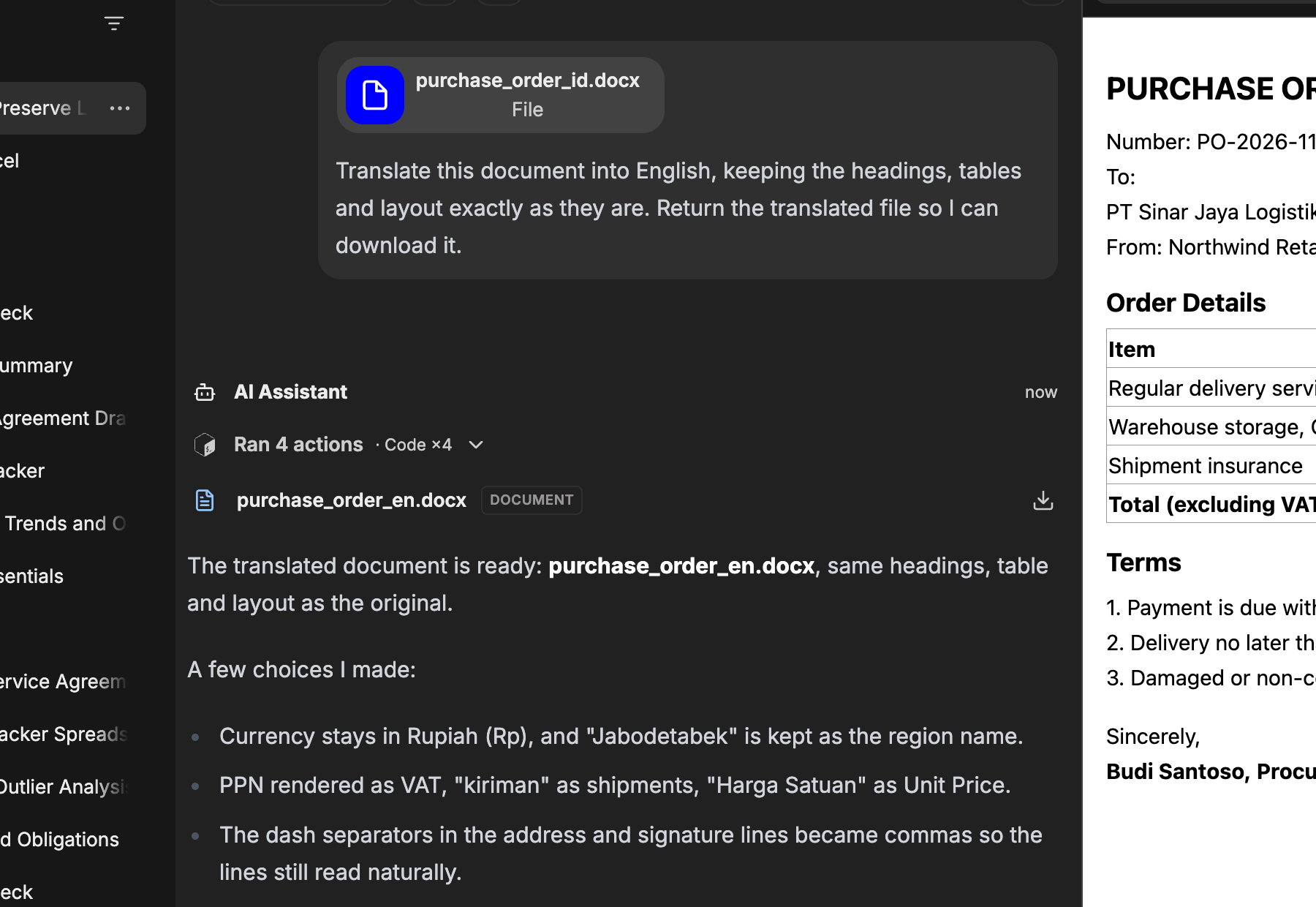
Translate documents, keep the layout
Get the same document in English or Indonesian — headings, tables and formatting intact.
Every result arrives as a standard .docx, .pptx, .xlsx, or .html file you can download, edit, and share.
Real examples from the product
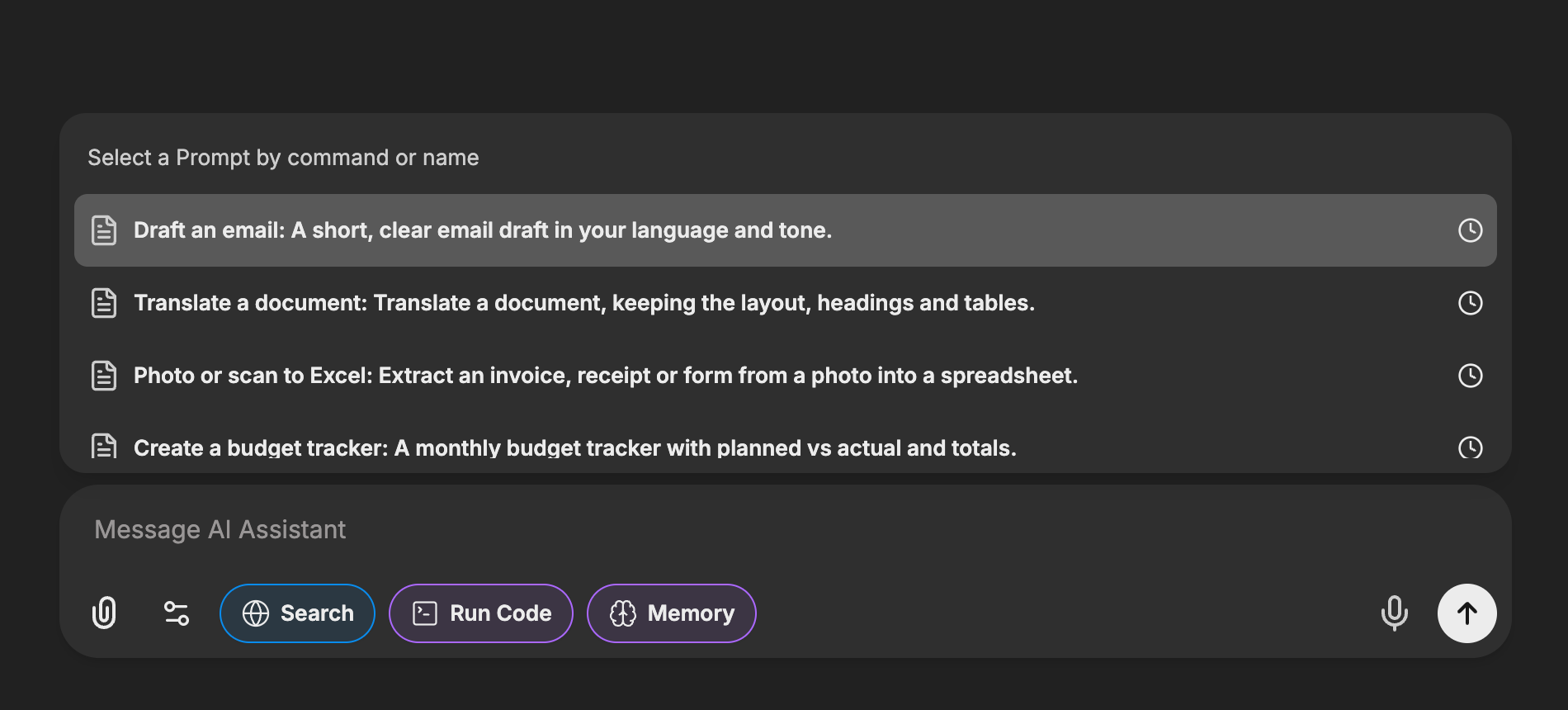
Or start from a recipe
Ready-made starting points for the most common jobs: type / in the chat and pick one. You can keep your own recipes too — a prompt you save stays in your picker, private to you.
Personalization
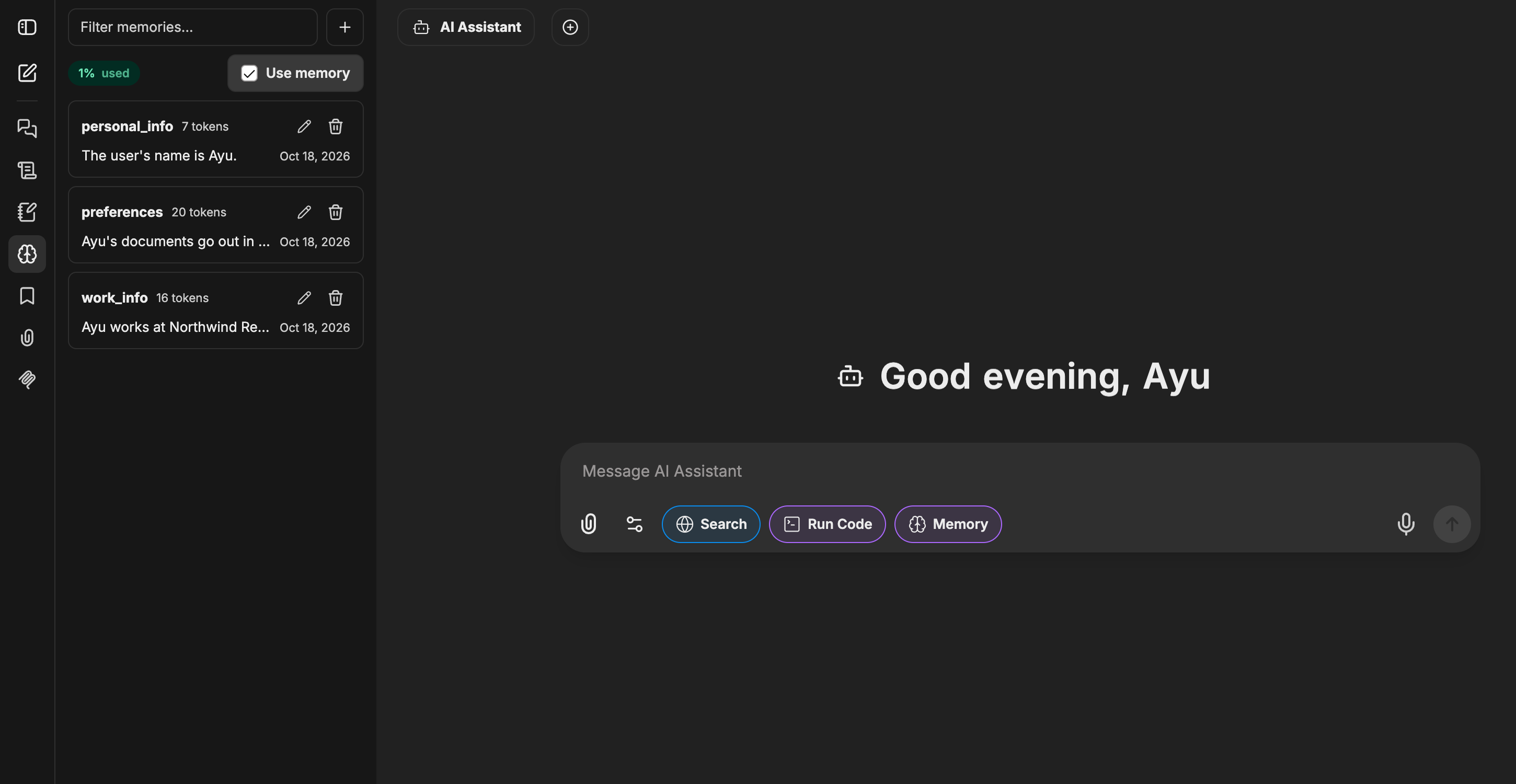
It remembers how you work
Tell the assistant once — your language, your document style, the jobs that keep coming back — and every new chat starts from there. It also picks up durable preferences on its own as you work, so you never repeat yourself.
- Your language and toneReplies and documents come out the way your office writes.
- Your formats and preferencesDeck sizes, fonts, standing instructions — remembered for the next request.
- Yours to manageEvery saved memory is visible in Settings — edit or delete anything, any time.
How it works
Three steps to a finished file
Sign in
Your administrator provisions your workspace account — no signup forms, no credit card.
Ask — or drop in your documents
Describe what you need in plain language, attach source material, and let the assistant research the rest.
Download the result
Get finished .pptx, .docx and .xlsx files in the chat — open them, tweak them, send them.
Pricing
Simple plans for your team
Every plan includes all assistants and every file type. Pick the monthly AI usage that fits your work — your remaining usage is always visible in the app.
Annual: pay for 10 months, use all 12.
Trial
FreeTry the full product on a real task, once — no card required.
- Full access to every assistant
- Every file type (.pptx, .docx, .xlsx)
- Web research included
Starter
RecommendedFor everyday drafting, summaries and analysis.
- Monthly AI usage included
- All assistants, including Deep Think
- Decks, documents and spreadsheets
- Web research built in
- Runs in our own workspace, not third-party apps
Pro
For heavier weeks of decks, reports and analysis.
- Everything in Starter
- 2.8× Starter's monthly AI quota
Prices are per user, per month. Usage is metered fairly per user; your balance is always visible in the app. Accounts are provisioned by your workspace administrator.
Start with your next document
Sign in with your workspace account — or ask your administrator for access.